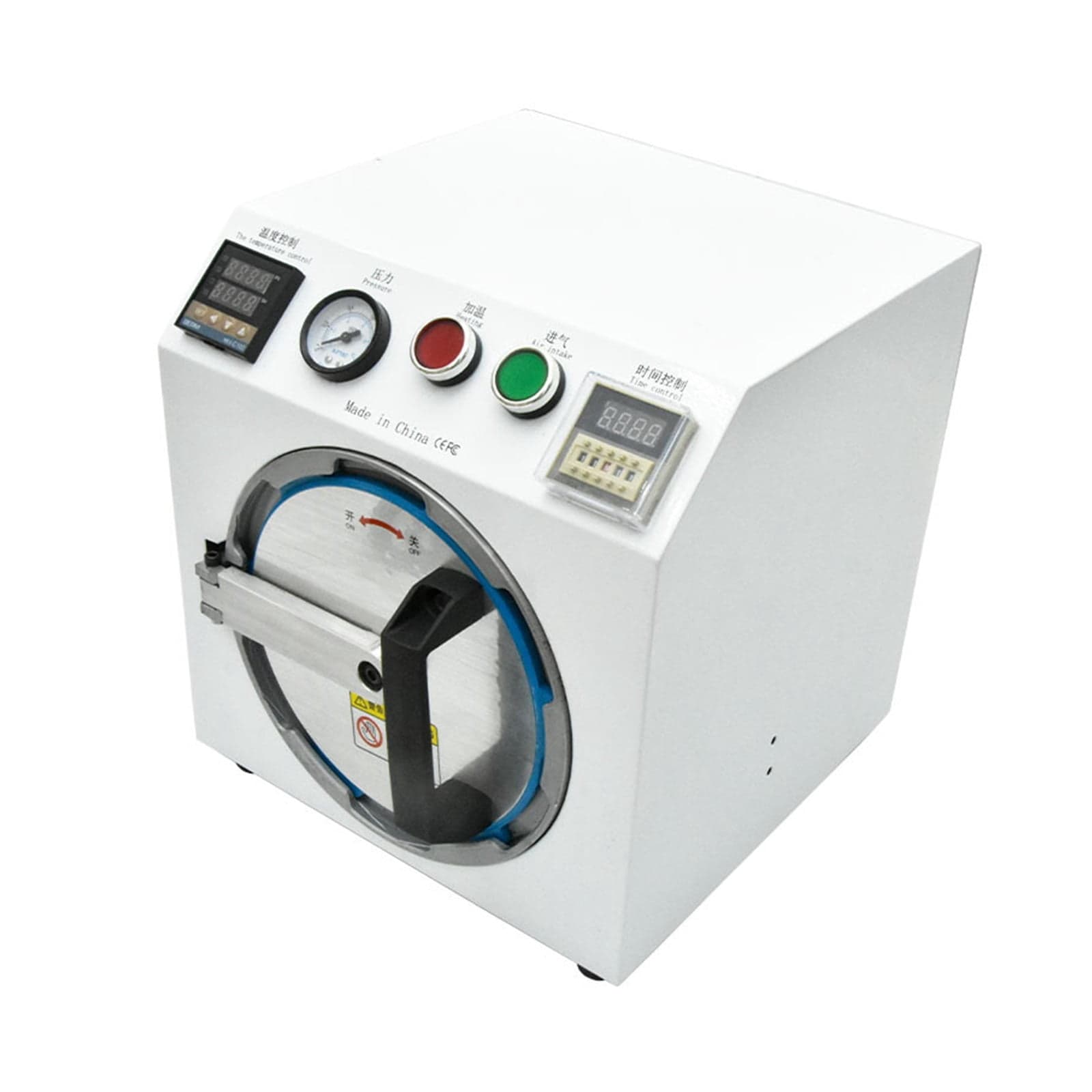
Mini Autoclave OCA Bubble Remover – High-Quality LCD Air Bubble Removal Machine for Glass Refurbishment
Overview: This compact autoclave-style bubble remover is designed for OCA adhesive repair and LCD glass refurbishment. It helps eliminate trapped air after OCA lamination and minimizes bubble formation caused by improper sealing or excessive temperature. Why bubbles form: 1. If the OCA plastic edge of the screen is not completely closed, applying pressure can drive more air into the panel — this commonly occurs along the four sides of the screen. 2. Excessive temperature can trigger a chemical reaction in the OCA rubber, producing many tiny bubbles that typically appear densely in the center of the screen. Physical dimensions: - Package Size: 500*500*500 mm - Working inside size about: Diameter 160*Depth 200mm Control and operation (step-by-step): 1) Press the power button to turn the unit on. Set the processing time: 10-15 minute. Note the time display units: M: minutes, H: Hours, S: seconds. 2) Temperature control: set between 30-50degrees. [Appears difficult Bubble increase60-80degrees, the time for 20 minutes] 3) Press the green heating button to begin warming the chamber. 4) Place the screen into the chamber, close and secure with the locking handle. 5) Press the start button to begin the cycle. 6) Rotate the black selector to the right to choose Auto [time out, the auto exhaust]. 7) Apply 5-6 kg of pressure as shown on the line display. [Water separator can be adjusted] 8) Monitor the unit; once the cycle completes the system will auto-exhaust. 9) Verify the barometer reads 0, then remove the screen. Controls and navigation note: - Use SET ---- into the adjustment > ---- Move ---- up ---- down to navigate and fine-tune settings. Package Included: 1 x Bubble Remove Machine
Shipping & Returns
Shipping & Returns