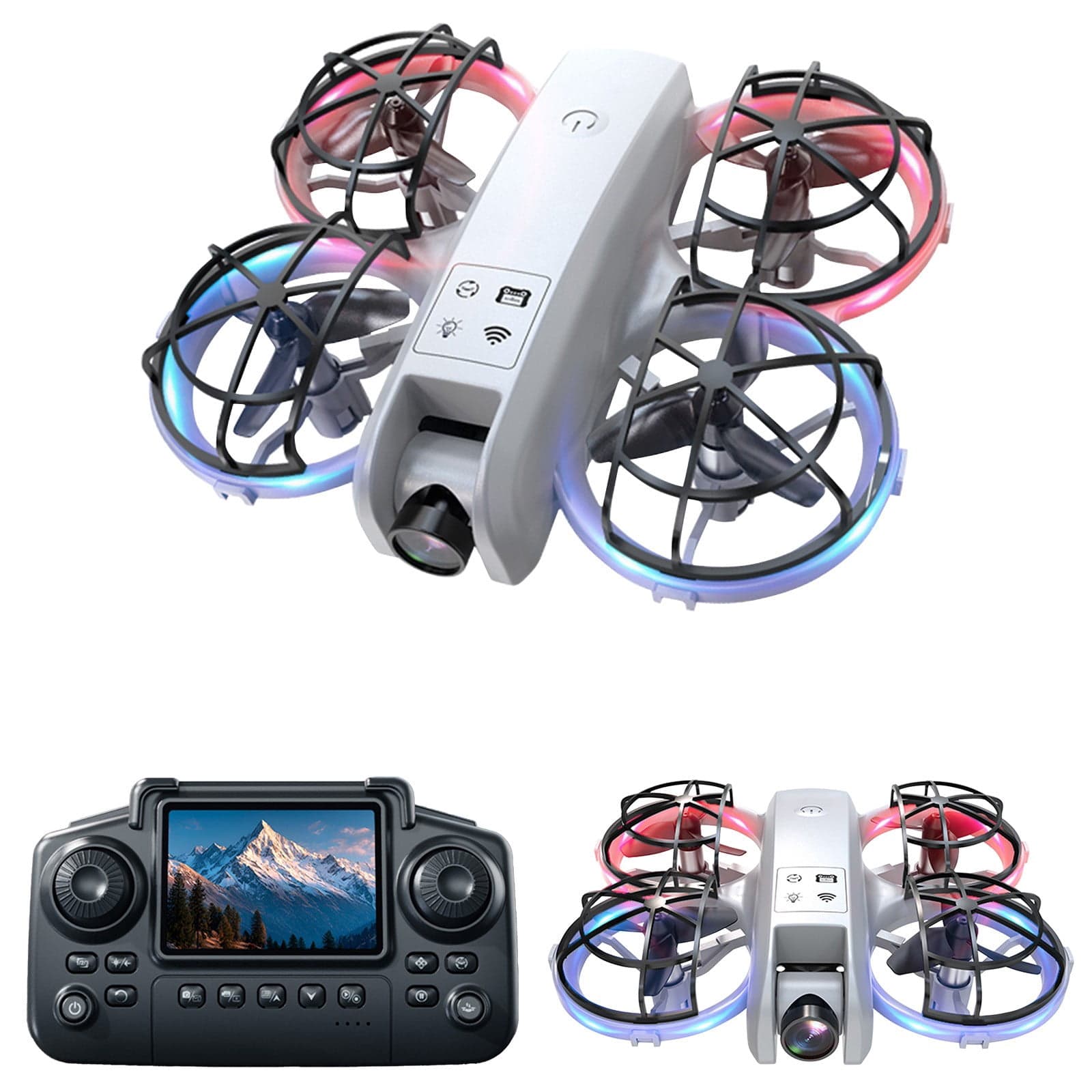
Pyaiiner 2.4G RC Quadcopter with Camera, Remote Screen & Cool Lights — Altitude Hold, One-Key Takeoff/Landing for Kids and Adults
Quick Start Guide: 1. Charge the battery until the indicator light turns green. 2. Power on both the drone and the remote control. 3. Press the "One-Key Start" button to lift off automatically. 4. Flight controls: use the left stick to ascend and descend; use the right stick to steer and move in all directions. 5. To land, press "Auto-Landing" or lower the quadcopter slowly by hand control. Pro Tips: - Fly in open areas for best results. - Keep clear of trees, walls and other obstacles. - Enjoy experimenting and practising — it’s designed for fun. Product Highlights: - 2.4G remote control with screen display and bright, cool lights. - Built-in altitude hold for steadier hovering. - Easy to fly with stable hovering performance. - Durable, kid-friendly construction suitable for both kids and adults. - One-Key Takeoff/Landing & Auto Return for simplified operation. - Portable and arrives ready-to-fly out of the box.
Shipping & Returns
Shipping & Returns