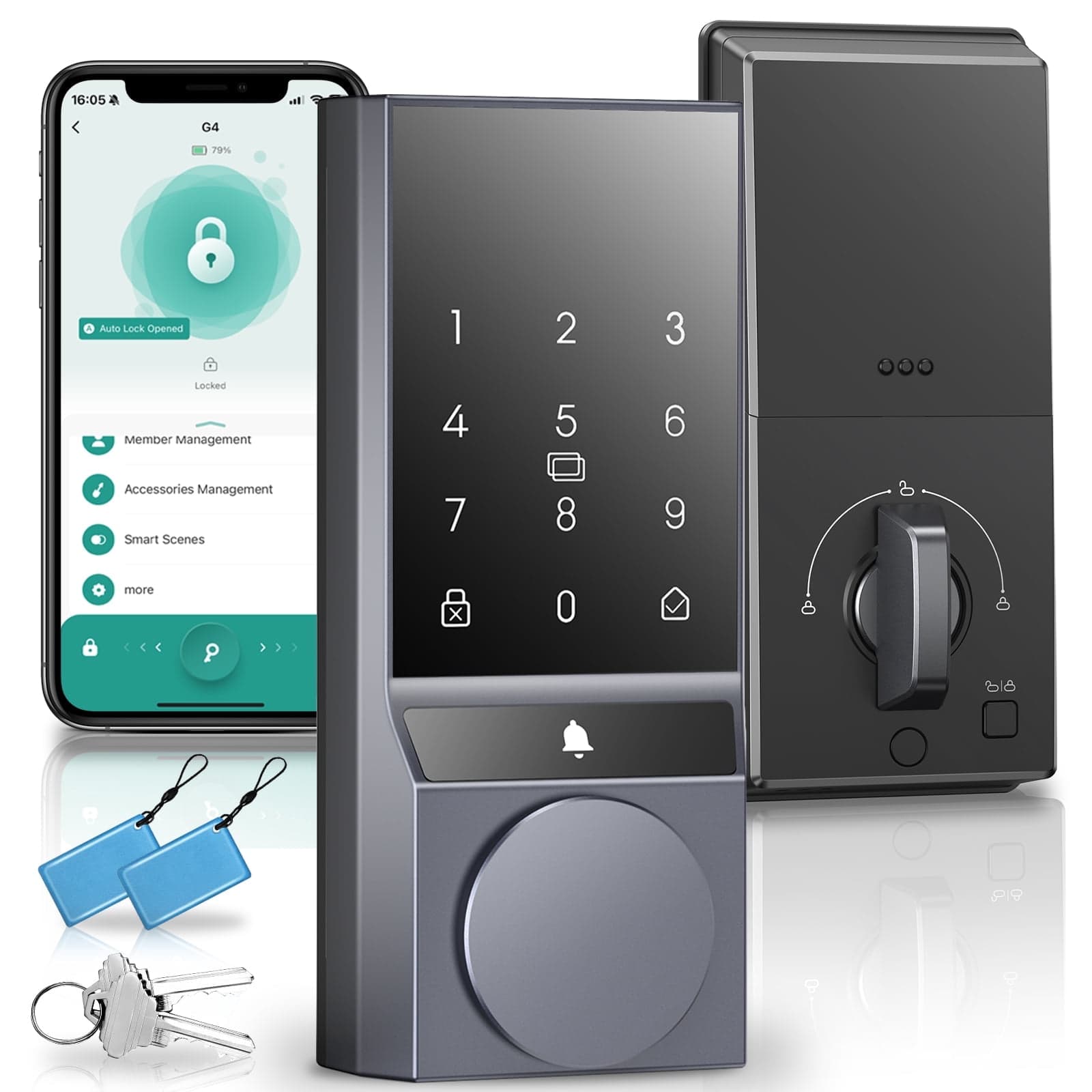
SANOPY G2 Smart Deadbolt — Keyless Fingerprint Door Lock with APP & NFC, Black
Overview: The SANOPY G2 smart deadbolt combines fingerprint access, Bluetooth app control and NFC convenience with robust safety features for home use. It supports multiple entry methods, weather-resistant operation, and handy sharing tools so you can manage access without physical keys. Key features: - Multi-function security: Built-in low-battery alarm, wrong-input restriction, anti-peeping password and the ability to create temporary PIN codes for guests. - Multiple unlock options: Enter a code, use key fobs, unlock via the Tuya Smart app, tap with an NFC-enabled phone or use the mechanical key — choose the method that fits your routine. - Fast biometric access: Stores up to 100 fingerprints with recognition in just 0.25 seconds. - Weatherproof: IP54-rated protection lets the lock operate reliably in varied weather conditions. - Auto lock & one-touch: Customize the automatic lock delay from 5 to 900s. The lock can auto-secure after each close or be engaged instantly with one touch. - Easy access sharing: Generate one-time or temporary passwords to give visitors or caregivers secure, time-limited entry without exchanging physical keys. - Power & batteries: Requires AA batteries (not included). SANOPY recommends using AA alkaline cells over carbon-zinc for longer, more stable performance. Installation & support: - Compatible with US standard doors and installs in about 20 minutes using only a screwdriver. - Includes a 12-month warranty and 24-hour after-sales email support from SANOPY. Product details: Brand: SANOPY Color: Black/Gray/Silver Material: Aluminum Style: Bluetooth+Fingerprint Finish Type: Metallic Shape: Rectangular Control Method: Remote Manufacturer: SANOPY Item Weight: 2.65 pounds Item model number: G2 Batteries: AA batteries required Finish: Metallic Lock Type: Deadbolt Batteries Required?: Yes Helpful tips & troubleshooting (concise): - Wi‑Fi pairing: The lock only supports 2.4GHz networks. Install the Tuya Smart app, enable phone Bluetooth and follow pairing: wake the panel → press unlock → enter admin code → follow voice prompts (press “3” for Wi‑Fi pairing → “1” to confirm). Listen for a “beep‑beep” and then add the device in the app by tapping "+" → scan → select the lock → choose your 2.4G network and enter the password. - Use phone as key: Most NFC-capable smartphones can store the included IC card as a digital key. Enable NFC on your phone and hold the IC card to the back of the device to bind it, then tap your phone to the lock’s NFC sensor to unlock. - Battery life issues: Use AA alkaline batteries (not carbon‑zinc). Alkalines typically last 3-5x longer and maintain steadier voltage in high-drain devices like smart locks. - Lock cover handling: The cover protects the mechanical keyhole. Don’t pull it unless inserting the physical key; after unlocking with the key, turn the separate handle to open the door. - Notifications & video: Allow notifications for the Tuya app in your phone settings and ensure adequate network bandwidth (3+ Mbps) for video streaming. - Admin user / video issues: Confirm the lock is shown as “Online” in Tuya and turn off Sleep Mode in lock settings to enable video sessions (3-minute sessions). - Resetting passwords/users: Default admin code is Code 001 and cannot be edited — a hard reset is required. To reset, hold the lock’s "Settings" button for 7s → press "Confirm". Remove other users via the app: Menu → Delete → choose by code/fingerprint/IC card. - Latch problems: Before installation, manually test the latch spindle for smooth movement. Ensure cables don’t block the spindle or transmission belt. If the spindle sticks out more than 25mm past the backplate, trim with pliers. SANOPY provides customer support to assist with setup, pairing, and any after-sales questions to ensure reliable operation of your G2 smart deadbolt.
Shipping & Returns
Shipping & Returns